Apple Silicon macOS · Public Alpha available

Design as code.
Native speed.
Built for agents.

Fanta is a native design editor on a code-editor core. Open Figma .fig files, keep every canvas as git-diffable source, and let AI agents apply reviewable changes beside you. Connected services use the models and credits enabled for your account.

Your tools, one canvas
Fanta Showcase
1 / 5
Opening Stays Studio…
Opening canvas

Available models are shown in the app

QwenImage workspaceEnabled routes in app
QwenImage editingAccount-enabled routes
Native editingLocal work
FluxFNX sourceReadable files
Video workspaceAccount-enabled routes
Clip editingNative controls
Masks workspaceSupported workflows
Vector editingNative paths
Git historyDiffable projects
Undo & RedoReviewable changes
ComponentsDocument structure
ClaudeAnthropicSupported agent provider
GrokConnected agentsOpt-in MCP
Zhipuz.aiSupported agent provider
QwenImage workspaceEnabled routes in app
QwenImage editingAccount-enabled routes
Native editingLocal work
FluxFNX sourceReadable files
Video workspaceAccount-enabled routes
Clip editingNative controls
Masks workspaceSupported workflows
Vector editingNative paths
Git historyDiffable projects
Undo & RedoReviewable changes
ComponentsDocument structure
ClaudeAnthropicSupported agent provider
GrokConnected agentsOpt-in MCP
Zhipuz.aiSupported agent provider

From the native app

Design. Source. Agents.

Follow one project from canvas edits to readable FNX and a reviewable agent change. Recorded in the native macOS app, with captions on every walkthrough.

Poster from Fanta in 53 seconds

Silent recording · captions on

Open silent MP4

Start here

Fanta in 53 seconds

A quick look at native editing, source and Git, and one external Opus 5.5 edit through Fanta MCP. Captions identify the later checkpoints.

Explore each complete workflow below.
Poster from Design in Fanta

Silent recording · captions on

Open silent MP4

Workflow 01

Design in Fanta

Edit native layers imported from the original .fig sample, Undo and Redo, then inspect the saved project and its actual PNG export.

  1. Edit imported native layers
  2. Undo, Redo, save and reopen
  3. Inspect the actual exported PNG
Poster from Your design is source

Silent recording · captions on

Open silent MP4

Workflow 02

Your design is source

Follow a canvas edit into readable FNX and a Git diff. Edit valid source in the Code workspace and see the canvas update.

  1. Make a canvas edit
  2. Inspect FNX and its Git diff
  3. Edit source and see the canvas update
Poster from An agent edits your design

Silent recording · captions on

Open silent MP4

Workflow 03

An agent edits your design

An external Opus 5.5 agent makes one bounded CTA change through Fanta MCP. Inspect native layers and saved FNX, then Undo and Redo.

  1. External Opus 5.5 through Fanta MCP
  2. Review the native CTA and source
  3. Undo, Redo and inspect the reopened project

Try the same project in ten minutes

Unzip Fanta Launch Card and open its native project or the included original .fig. Change one layer property, Undo and Redo, inspect its FNX, then save and reopen. The original card uses native text and shapes without third-party artwork. Keep a fresh copy before you experiment.

Work with the founder · €250 pilot

Make your first agent design workflow repeatable.

A small checked project, your existing agent, three agreed edits and source review. Start with a free 15-minute fit call; the initial cohort has capacity for three pilots.

Explore the workflow pilot
Live browser toolkit

Make the image your own.

Remove backgrounds, build precise masks, and turn pixels into vectors. Try the sample in this live browser toolkit, with processing on your machine.

Local sample processingSVG export

Samples and uploaded images are processed in your browser. Hosted AI in the Fanta app requires purchased credits.

Scroll in to warm up the on-device models…
Illustrated interface guide

Explore the document model

These interactive illustrations explain layers, components, layout, variables and the inspector. Watch the recorded workflows above for evidence from the release build.

The Design inspector

Every detail, in the same place.

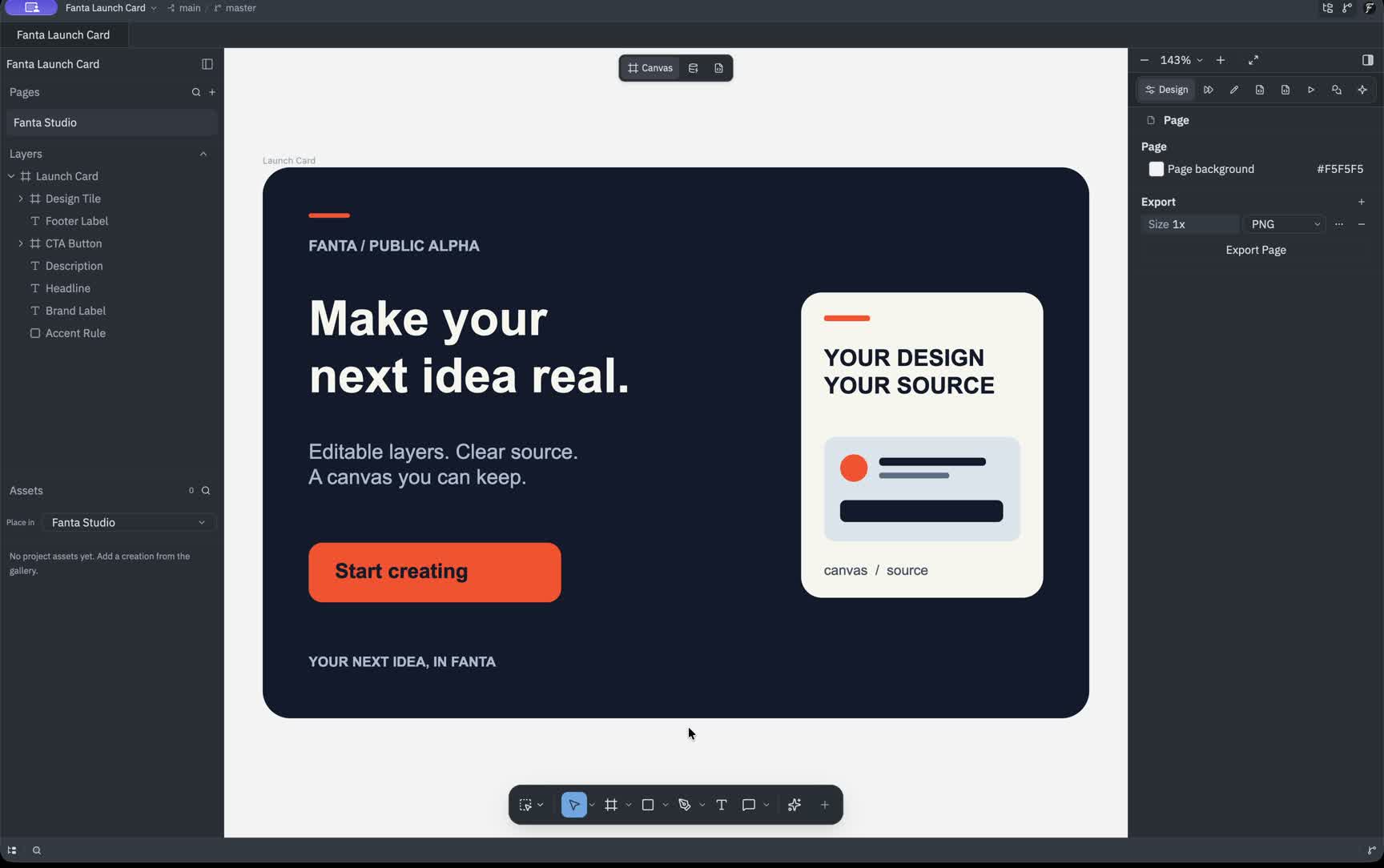
Select the headline, button or design tile, then adjust its position, size, fill, opacity and radius. The canvas and inspector stay in sync as you make it yours.

Position & sizeRadius & opacityFill colorsCanvas ↔ inspector
Fanta Launch Card main / master
Fanta Launch Card
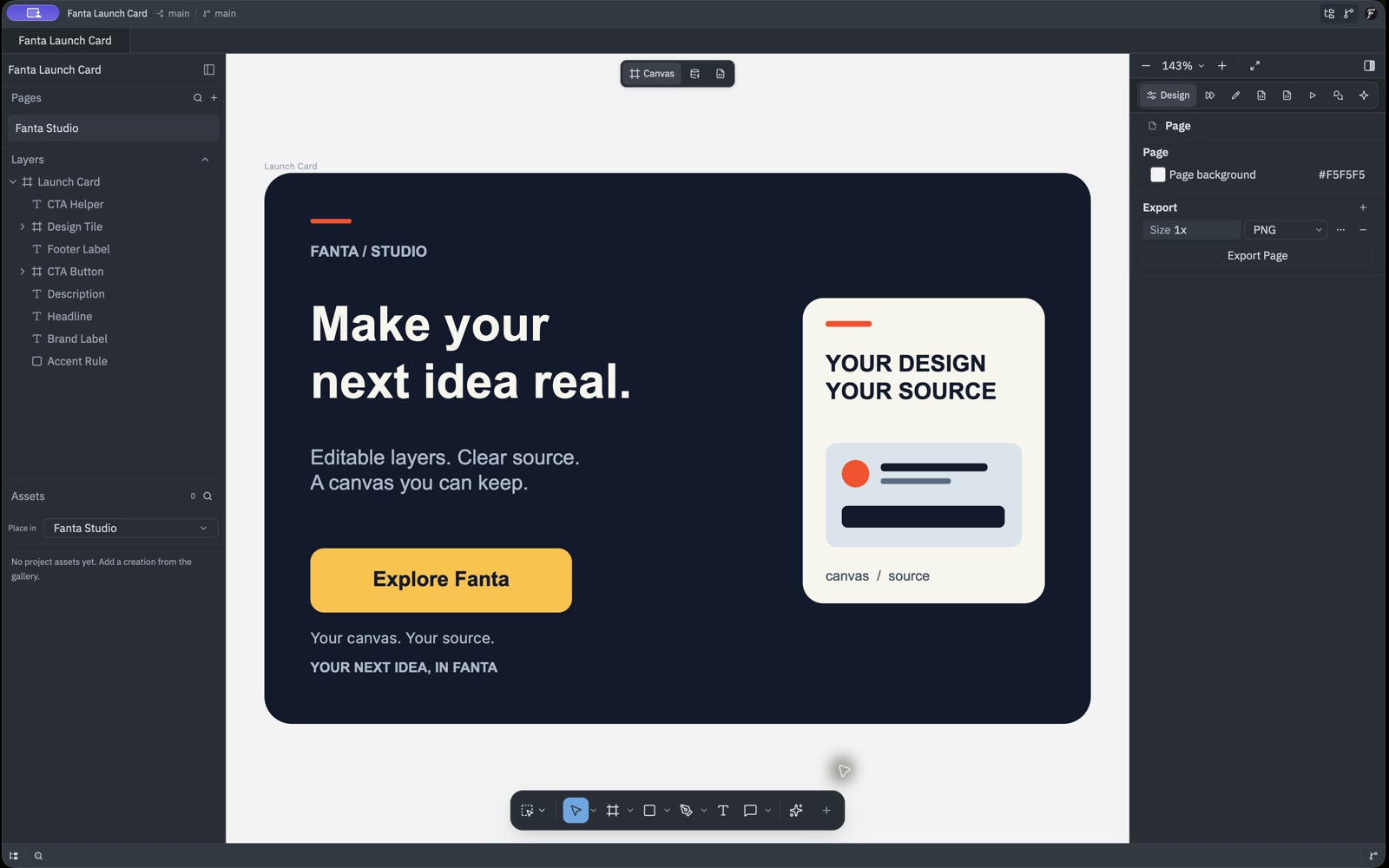
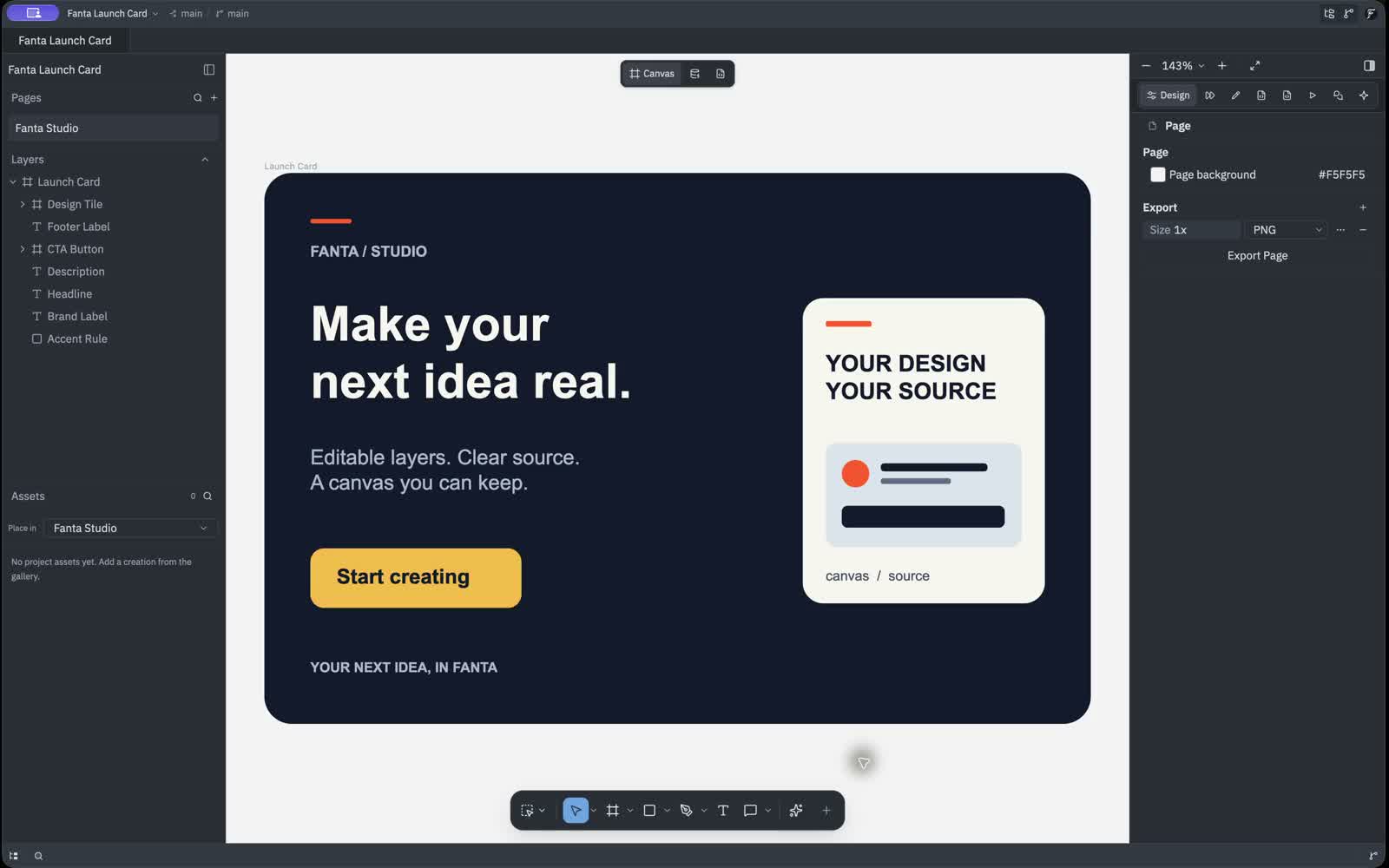
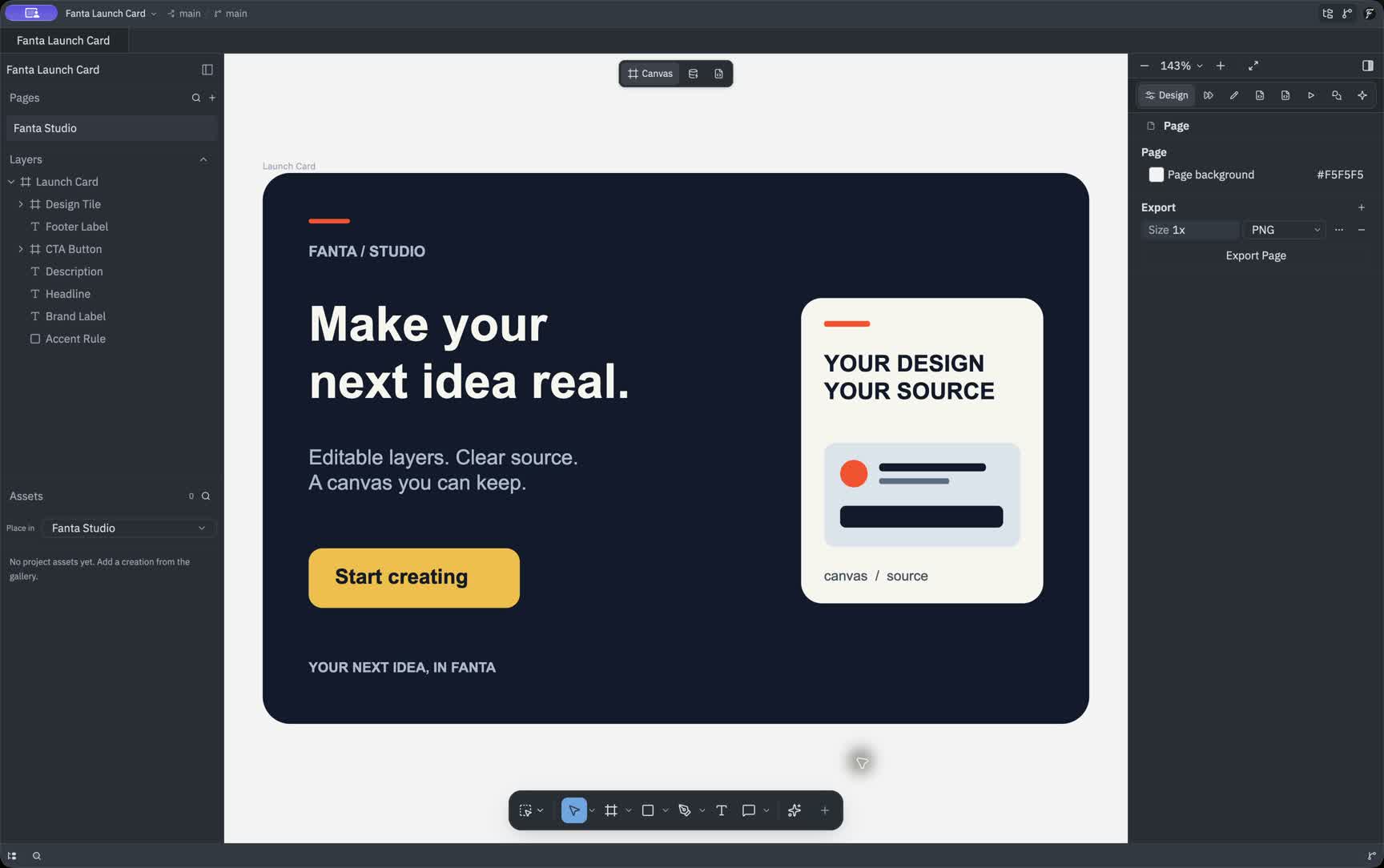
Launch CardFANTA / STUDIOEditable layers. Clear source.A canvas you can keep.YOUR NEXT IDEA, IN FANTAMake yournext idea real.YOUR DESIGNYOUR SOURCEcanvas / sourceStart creating
CTA Button selectedDrag to move · edit values
.fig import.fnx source · canvas syncAuto-layout · components · variantsPrototype · Motion · CommentsAgent design_edit — one undoable transactionOpt-in local MCP
One app, every medium

Canvas, Variables and Code share one window, with Design, Motion, Prototype and Comments in the right inspector.

Layers & pages

Pages, the layer hierarchy and project assets live in separate panels. Selection stays connected to the canvas.

Variables & modes

The Fanta Brand collection shows Light and Dark values together, with color aliases, spacing and radius tokens.

Design tokens

Connect an action color to a shared primitive, then follow that value into the component that uses it.

Git-native

Inspect readable FNX and review a design change alongside its source diff and branch.

Vector & pen

Anchor points and handles stay on the light canvas, with path properties beside the selection and tools below it.

Native editing workflows

The editor you know, re-made native

A real document model — layers, components, auto-layout, variables and version control — persisted as code and shared with agents.

The design surface

A real document, not a layer of paint

Select, draw, group and lay out real nodes. Every edit lands in the document tree and its FNX source.

Frames & groupsAuto-layoutComponentsVariablesVector pathsUndo history
Design systems

Tokens → variants

Components, properties and modes stay connected to code.

Button / Primary Component
Default
Hover
Pressed
Continue
2 modes
Bring your work

Open Figma files

Supported frames, layout, components and vectors remain editable. Review import warnings.

Responsive by default

Auto-layout

Hug, fill and stretch keep spacing predictable as content and frames resize.

Hug → Fill
Flows & reactions

Prototype & present

Connect frames, choose a trigger and preview transitions without exporting.

CheckoutOn tap · Smart animateSuccess
Agent-native

Agents on the canvas

Agents use the same components, constraints and document API you do.

Build a 6-frame onboarding flow from this brief.
Git-native

Every version, visible

Inspect FNX changes in Git, then review and commit your project.

Publish token modes
e7c91a · main
HEAD
Refine checkout flow
4bf120 · ui/checkout
Create button variants
a83d02 · main
When you need pixels

The generation hub

Place supported generation results into Project Assets and your design.

Generated pearlescent sculpture with a citron orb
Example artwork

Generated pixels, placed inside an editable composition.

Apple Silicon first

Native, not a browser

A desktop editor for Apple Silicon Macs, with local project files.

Apple Silicon Mac
Public Alpha · 1.0.0
Local project files · manual app updates
Bring supported formats

Design files and images.

.fig
.svg
.png
.jpg
Fanta

Open .fig and supported SVG/image assets; save your project as FNX.

Connected tools

Choose how you connect

Hosted credits

Use the generation routes enabled for your account.

Agent providers

Configure supported provider keys for chat and agents.

External agents

Connect a supported agent through local MCP.

Agent connection guide
A different kind of editor

Not every tool is trying to solve the same problem

Fanta joins an editable canvas, readable source, local files, generation and agents in one document. Compare how each workspace approaches the same creative work.

Adobe remains deep for specialist image work, Figma is excellent for cloud collaboration, and ComfyUI is a powerful generation graph. Fanta is for creators who want those worlds to converge in an open, native workspace.

One source of truth

Canvas and FNX move together

Canvas changes save to FNX; valid source edits reload the same design.

Local by default

A real desktop workspace

Projects live on your disk and support offline editing. Public Alpha supports Apple Silicon macOS.

Built for change

History you can inspect

Meaningful source diffs, commits, branches and agent changes belong to the same design document.

Design surface

Vector + image canvas

Arrange vectors and placed images alongside text and shapes.

Fanta
One canvas
Figma
One canvas
Adobe CC
Across apps
ComfyUI
No design canvas

Auto-layout

Horizontal, vertical and grid layouts with editable sizing rules.

Fanta
Built in
Figma
Built in
Adobe CC
Varies by app
ComfyUI
Not applicable

Design systems

Components, variants, variables, modes and instance overrides.

Fanta
Native system
Figma
Native system
Adobe CC
Libraries
ComfyUI
Not applicable

Image selection + masks

Shape image content with masks or app-specific selection tools.

Fanta
Paths + masks
Figma
AI image tools
Adobe CC
Deep toolkit
ComfyUI
Workflow nodes

Flows + present mode

Connect frames, author reactions and play a prototype in place.

Fanta
In the editor
Figma
Built in
Adobe CC
Split workflow
ComfyUI
Not applicable
Document + workflow

Visual edit ↔ source edit

Canvas and FNX edits update the same document; check the release notes for current alpha limits.

Fanta
Bidirectional FNX
Figma
Dev handoff
Adobe CC
Separate source
ComfyUI
Graph JSON

Files on disk + offline

Projects remain ordinary local files that you control.

Fanta
Local-first
Figma
Cloud-first
Adobe CC
Local + cloud
ComfyUI
Local

Versioning you can read

Inspect changes as source diffs and keep a visible timeline.

Fanta
Git-native
Figma
Cloud history
Adobe CC
Document history
ComfyUI
Manual Git

Open Figma files

Migrate supported .fig content into a native project; review import fidelity.

Fanta
Direct import
Figma
Source format
Adobe CC
No direct import
ComfyUI
No direct import
AI + automation

Agents inside the document

Agents can select, build and revise the same editable objects you use.

Fanta
First-class surface
Figma
MCP canvas edits
Adobe CC
AI + scripting
ComfyUI
API workflows

Hosted generation

Generate supported media, then add the results to project assets and the canvas.

Fanta
Project assets
Figma
Integrated tools
Adobe CC
Firefly credits
ComfyUI
Bring a runtime

Model choice

Choose models for the supported agent or generation workflow.

Fanta
Agent providers
Figma
Model picker
Adobe CC
Adobe + partners
ComfyUI
Own runtime
Platform

Desktop builds

Available desktop platforms and installation options.

Fanta
Apple Silicon alpha
Figma
Desktop + web
Adobe CC
Mac + Windows
ComfyUI
Desktop / self-host

Compare each workflow group above. Products evolve; this compares their primary workflow and publicly available capabilities.

Generation & agents

Choose the model for the move you need.

Generate images, video, audio or vectors, then add supported results to Project Assets. The signed-in app shows the models, controls and credit costs enabled for your account.

Browse illustrative provider families and exploratory workflows. Availability and costs come from the signed-in app.

How to read this guide
Examples
Static guide
Browser demo
Website only
Exploring
No commitment

Showing 6 of 27 models and tools

Claude
Example
Agent · reasoning

Anthropic

Claude Opus

A reasoning model family for planning and structured edits. Check the app for supported agent providers.

Agent
Claude
Example
Agent · everyday

Anthropic

Claude Sonnet

Fast, capable agent runs for everyday edits, planning and tool use across the document.

Agent
Grok
Example
Agent · fast

xAI

Grok

A model family for agent-assisted work. Available versions and controls depend on the configured provider.

Agent
Zhipu
Example
Agent · efficient

Z.ai

GLM

An efficient open model for cost-sensitive agent automation and bulk edits.

Agent
Qwen
Example
Type + composition

Qwen

Qwen Image

Prompt-faithful image generation with especially strong type and layout rendering.

Image
Alibaba
Example
Fast iteration

Tongyi Lab

Z-Image Turbo

A fast draft lane for exploring a direction before spending on a final render.

Image

Provider examples do not guarantee that a model is enabled. Hosted generation needs sign-in and purchased credits. Exploring marks ideas without a model or release commitment; 3D is an exploratory direction. The SAM sample runs only in this website’s browser demo.

Read the generation guide
Architecture you can feel

One document. Every way of working.

Move from canvas to source, review a change, or ask an agent to help. Every workflow stays connected to the same editable document.

Fanta Launch Card main
Fanta Launch Card In sync
Canvas 93%
Launch CardFANTA / STUDIOMake yournext idea real.Editable layers. Clear source.A canvas you can keep.YOUR DESIGNYOUR SOURCEcanvas / sourceStart creatingYOUR NEXT IDEA, IN FANTA
Design⌗ CTA Button
Code page.fnx
▧ FNX≡ JSONCTA Button
// Same document, editable source
<Frame
name="CTA Button"
clip_size={[184, 52]}
background={{
color: fnxColor(
"#"),
kind: "solid"
}}
corner_radius={}
>
<Text
content="Start creating"
/>
</Frame>
Try an edit on either side

Direct manipulation stays direct

Select, transform, draw and adjust layouts on Fanta’s native canvas.

Canvas and source are peers

Change JSX-style FNX or drag on the canvas. Both edit the same semantic document and stay in sync.

Automation remains reviewable

Agent work arrives as a named, undoable transaction—with the resulting source diff visible in Git.

Compute follows the job

Use the unmetered local editor, Fanta-hosted generation or supported own-key agent chat without changing projects.

The same document, three compute paths

Use the smallest route that can do the job.

macOS alpha · Windows & Linux planned
Local editor

Native work stays unmetered

Canvas, vectors, source and history remain available without hosted credits.

Fanta GPU

Hosted image generation

Enabled hosted jobs use your account's current models and credit costs.

Own key

Supported agent providers

Bring Anthropic or z.ai credentials for buffered agent chat.

Files stay on disk Every edit is undoable No browser dependency
Current alpha catalog

The editor is yours. Pay for the GPU when you use it.

Local design work does not consume credits. Hosted AI requires purchased credits; public accounts receive no trial or signup credits. All purchases happen through web Billing.

Explore the new workflow

Free

Public Alpha

Explore the native editor in the Apple Silicon macOS alpha.

$0
No free AI credits

Buy a credit pack when you need hosted AI

  • Native macOS editor for Apple Silicon
  • Open and edit Figma .fig files
  • Projects on disk as diffable FNX
  • Bring your own API keys for agents
  • Direct line to the founder
Download for Mac

Create and ship every week

Pro

Web billing

A hosted AI allowance for solo creators. Choose monthly or annual billing on the web.

$24/ month

or $240 / year, billed annually

3,000 monthly credits

Released monthly on either billing cycle

  • Everything in the native editor
  • Image and video workspaces
  • Add generated results to designs
  • Editable SVG output
  • Bring your own provider keys
Open web Billing

More room to explore

Plus

One creator

A larger allowance for individual creators who use hosted AI throughout the week.

$49/ month

or $490 / year, billed annually

7,000 monthly credits

Released monthly on either billing cycle

  • The same native editor and tools
  • One individual seat
  • Hosted AI paid in credits
  • Add one-time packs when needed
  • Paid agent work excluded from Fanta training
Open web Billing

For a full creative workload

Max

One creator

Our largest individual allowance for sustained hosted AI work, with costs shown in the app.

$99/ month

or $990 / year, billed annually

15,000 monthly credits

Released monthly on either billing cycle

  • The same native editor and tools
  • One individual seat
  • Hosted AI paid in credits
  • Add one-time packs when needed
  • Paid agent work excluded from Fanta training
Open web Billing

For studios and companies

Team

Create a company workspace, invite teammates by email, and share one hosted AI balance across 5 seats.

$40/ month

or $400 / year, billed annually

6,000 shared monthly credits

Released monthly · 5 seats total

  • Same editor, one shared workspace balance
  • Owner and admin billing and usage visibility
  • Share Git project links with your teammates
Create team workspace

The editor is included

Design without spending credits

Your files stay yours

Local, readable FNX projects

Bring your own keys

Use providers you already trust

You own the output

No watermark or usage lock-in

Need extra credits?

One-time packs work with every plan. Add to your balance without starting another subscription.

Prices are in USD before applicable taxes. Annual plans are paid once a year and release credits monthly. Unused paid credits roll over. Web Billing shows available offers and checkout terms; the app shows enabled models and credit costs.

Spent AI credits are not refundable under our voluntary policy. Partial refunds of unused paid credits require manual review against original purchase terms and payment and usage evidence. Refunds required by law or the payment provider still apply. Read the billing terms.

Public Alpha available

Don't just watch the editor. Help shape it.

Try a canvas where source, systems, versions and agents share one document. Check installer availability, then follow the same sample used in the demos.

Download for Mac

Prefer release updates by email?

No spam. One release announcement. Unsubscribe anytime.

No credit cardFiles stay on your diskDirect founder feedback loop